I was setting my gitlab CI&CD Environments and in this particular project, i had a problem with the gitlab runner. The target server for the deployment is only accessible with a VPN.
I decided to create a custom gitlab-runner directly on the hosting server, instead of taking care about SSH Connection over VPN.
But the next bottleneck was, that the server is a plesk server. Plesk limits the folder permission, so the regular gitlab-runner user has no permission on the vhost directories.
Workaround:
Open following service file and compare with the values down below:
/etc/systemd/system/gitlab-runner.service

[Service]
StartLimitInterval=5
StartLimitBurst=10
#ExecStart=/usr/bin/gitlab-runner "run" "--config" "/etc/gitlab-runner/config.toml" "--working-directory" "/home/gitlab-runner" "--service" "gitlab-runner" "--user" "gitlab-runner"
User=PLESK_USERNAME
Group=PLESK_USER_GROUP
WorkingDirectory=/var/www/vhosts/DOMAIN.COM/.gitlab-runner

# Start GitLab Runner without --user flag
ExecStart=/usr/bin/gitlab-runner run \
  --config /etc/gitlab-runner/config.toml \
  --working-directory /var/www/vhosts/DOMAIN.COM/.gitlab-runner \
  --service gitlab-runner
Consider to change following parameters in the config file:
- PLESK_USERNAME => in my case wp_5n0yxcxcxc
- PLESK_GROUP => psaserv
- DOMAIN.COM => your domain
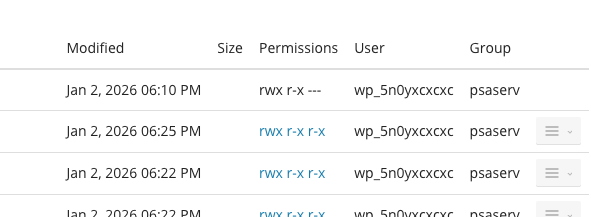
Make sure plesk user has permission on gitlab-runner home directory:
sudo mkdir -p /var/www/vhosts/DOMAIN.COM/.gitlab-runner

sudo chown wp_5n0y4rxpcqk:psaserv /var/www/vhosts/DOMAIN.COM/.gitlab-runner

sudo chown -R wp_5n0y4rxpcqk:psaserv /etc/gitlab-runner
In the last step you have to restart the services:
sudo systemctl daemon-reload
sudo systemctl restart gitlab-runner
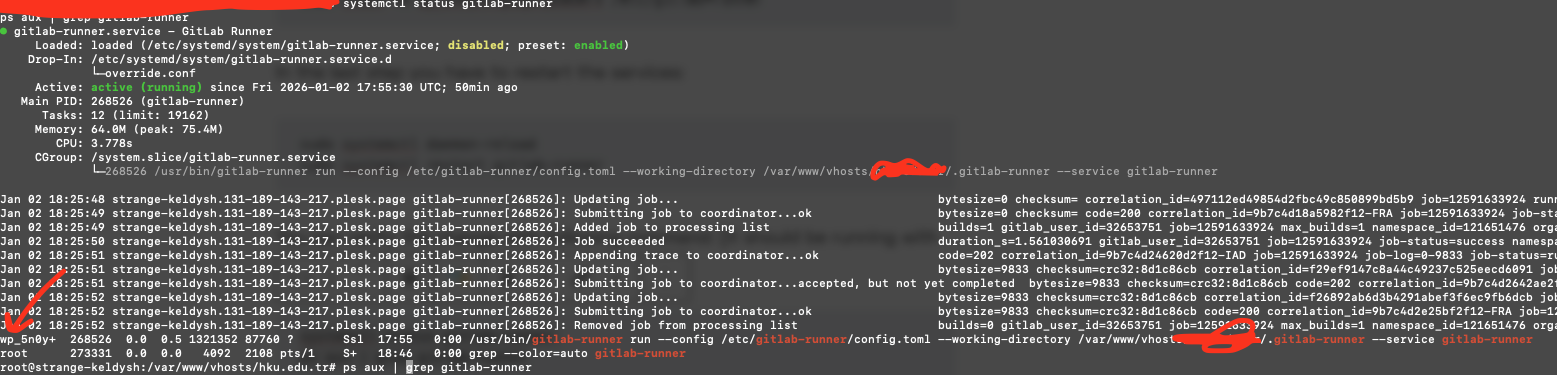
You can verify the change with following command: (It should be running with your plesk user)
systemctl status gitlab-runner
ps aux | grep gitlab-runner